EasyShoot
Screenshot app for macOSCapture, mark up and frame screenshots on your Mac, with blur for private details and Arabic right-to-left text. No account, and nothing is uploaded. Free on the Mac App Store.
- macOS 14+
- Since Oct 2026
- App Store
- Website
- User guide
- Support
- Privacy
Overview
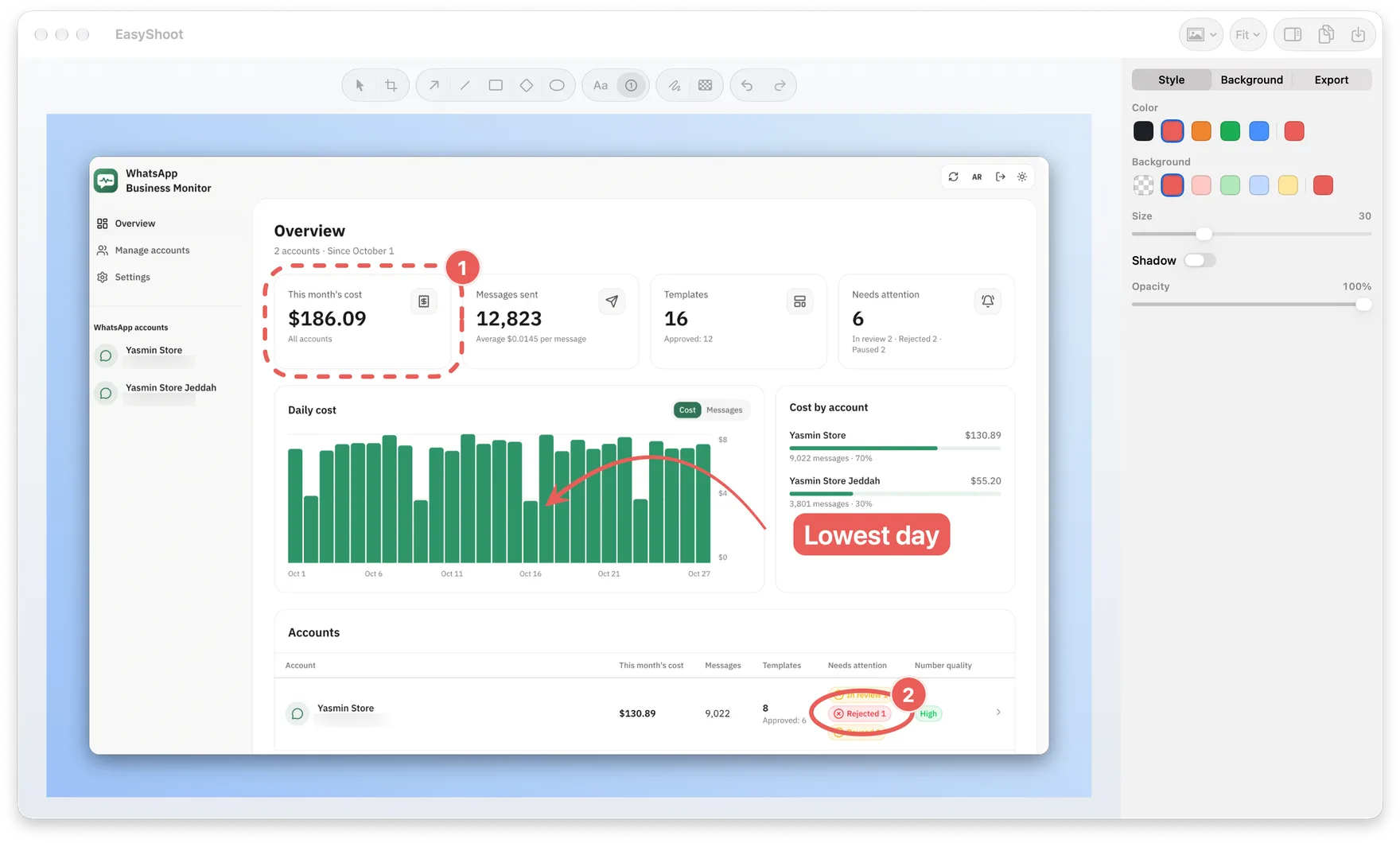
EasyShoot is a screenshot app for macOS 14 and later. It lives in the menu bar: one shortcut captures an area, a window or the full screen, and the editor marks it up, hides private details and frames it before it's copied or saved. I started it in October 2026 and released it on the Mac App Store in November 2026.
The problem
Sharing a clear screenshot took more steps than it should.
- Too many apps. Capturing, cropping, annotating and framing each happened in a different tool.
- Private details. Names, emails and phone numbers had to be blurred in yet another app before sharing.
- Arabic text. Annotation tools often drew Arabic left-to-right or with broken letter shapes.
- Privacy. Some screenshot tools want an account or upload images to a cloud by default.
The solution
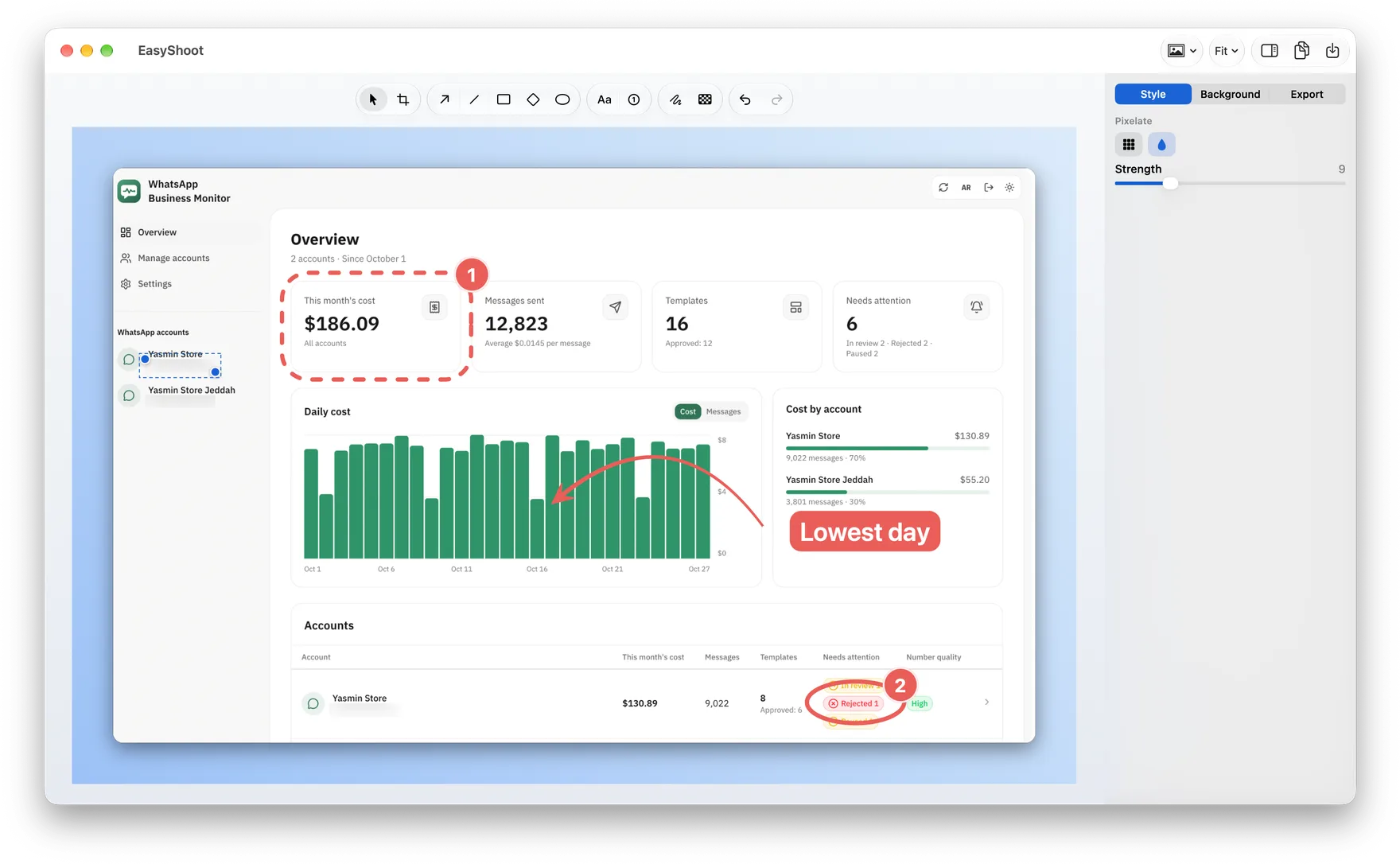
One window. Arrows, shapes, numbered steps, text, pen, crop and a background tool sit in the same editor, and presets keep every screenshot in one style.
Hide what's private. Pixelate or blur names, emails and phone numbers right in the editor, with a strength you choose.
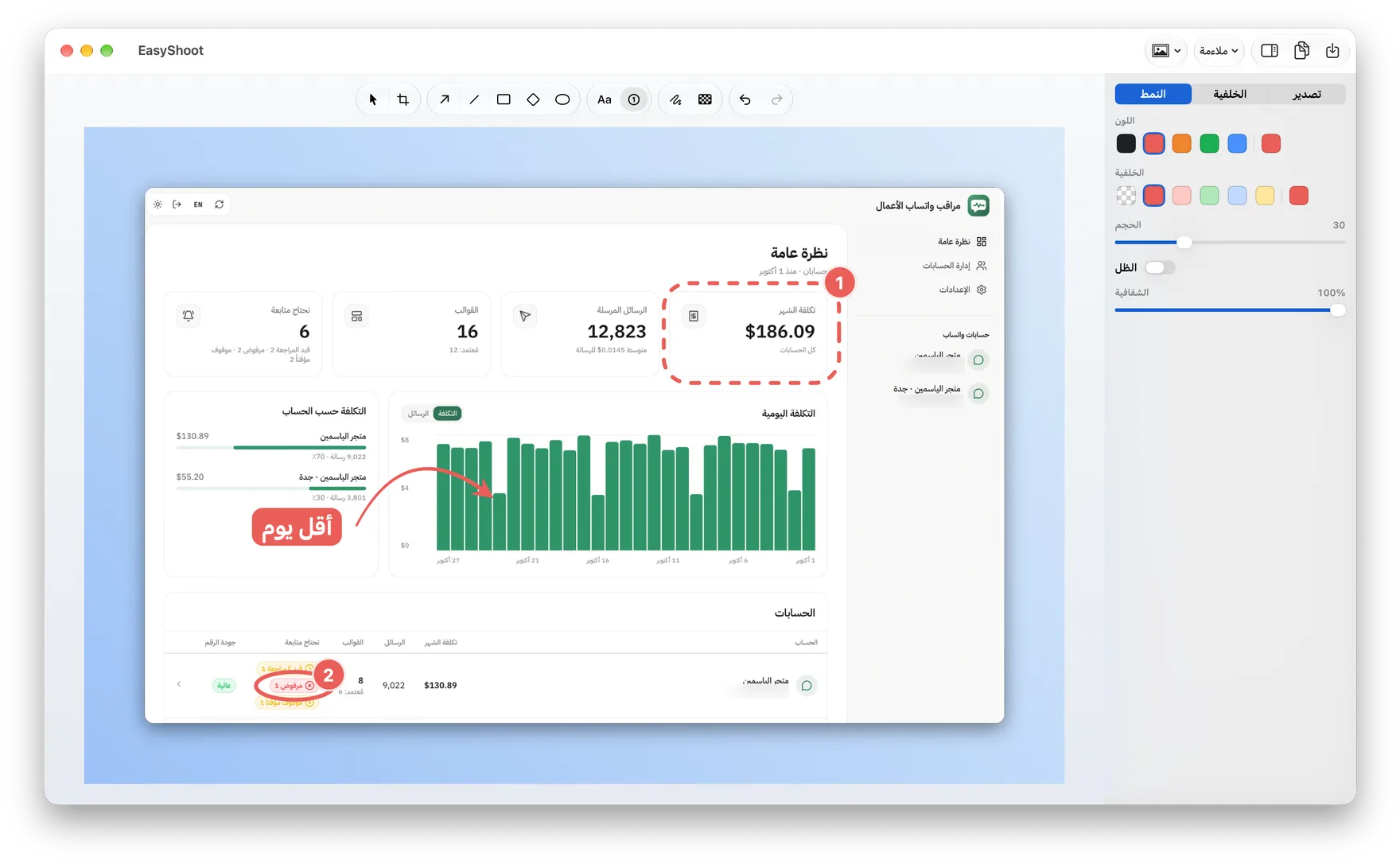
Arabic first. Text detects Arabic and writes right-to-left with correct shaping, in any installed font or one downloaded from Google Fonts. The whole interface is in Arabic too.
Local only. There is no account and no tracking. Images are saved, copied or dragged straight from the Mac.
What I did
- Defined the product, its features and its privacy rule: nothing is uploaded.
- Designed the brand, the app icon and the interface on Apple's macOS 27 design kit, with Liquid Glass on macOS 26 and later.
- Built the app with a coding agent: I set the scope and the design, and reviewed every change before it shipped.
- Shipped it on the Mac App Store: a sandboxed build, ScreenCaptureKit capture and the store listing.
- Built the website and its user guide in five languages.
What it offers
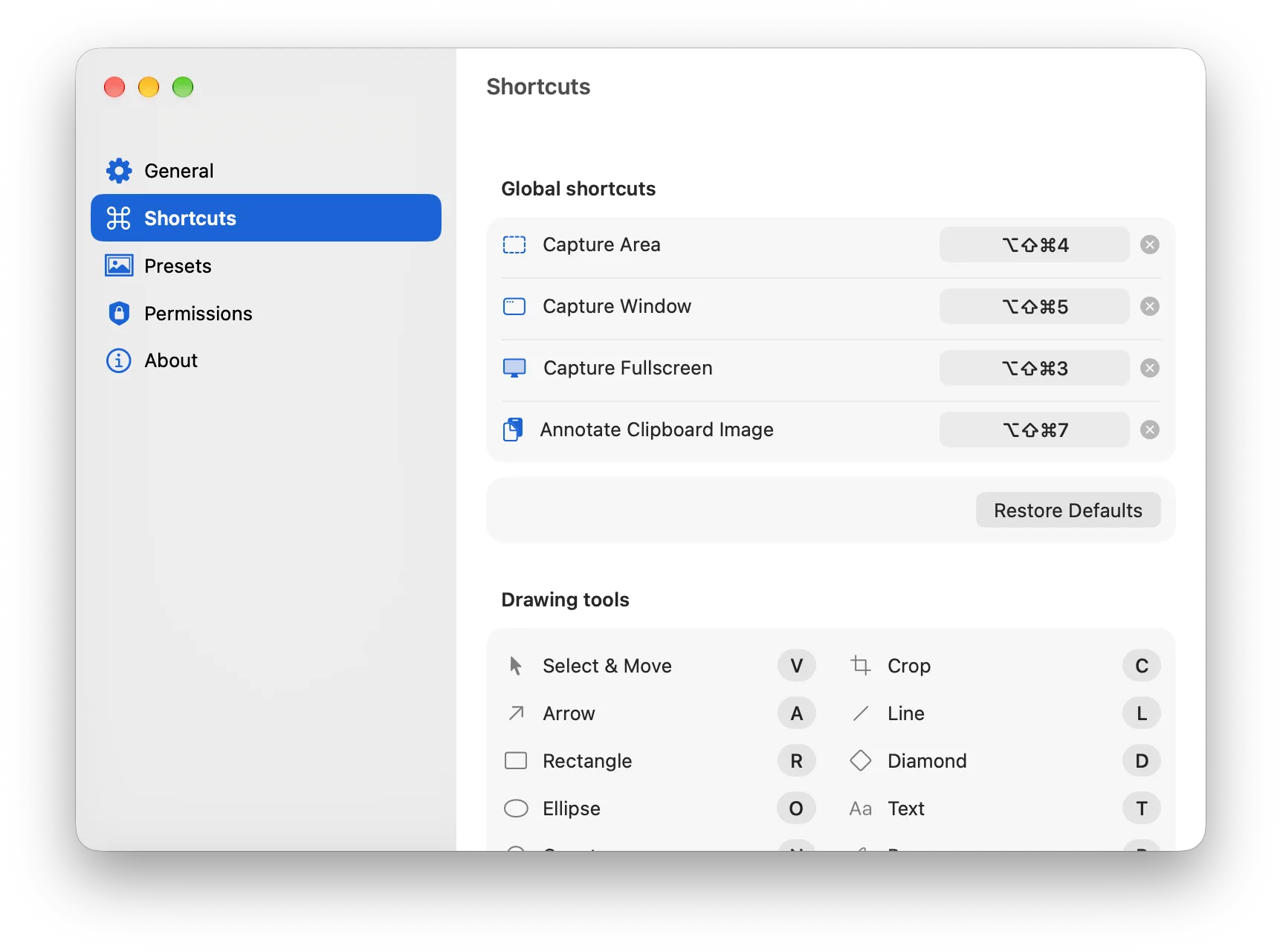
- Every kind of captureArea, window and fullscreen capture, each on a shortcut you can change, plus any image on the clipboard.
- Marks that stay editableArrows, shapes, numbered steps, text and pen can be moved and restyled at any time.
- Pixelate and blurHide names, emails and card numbers before you share, with the strength you choose.
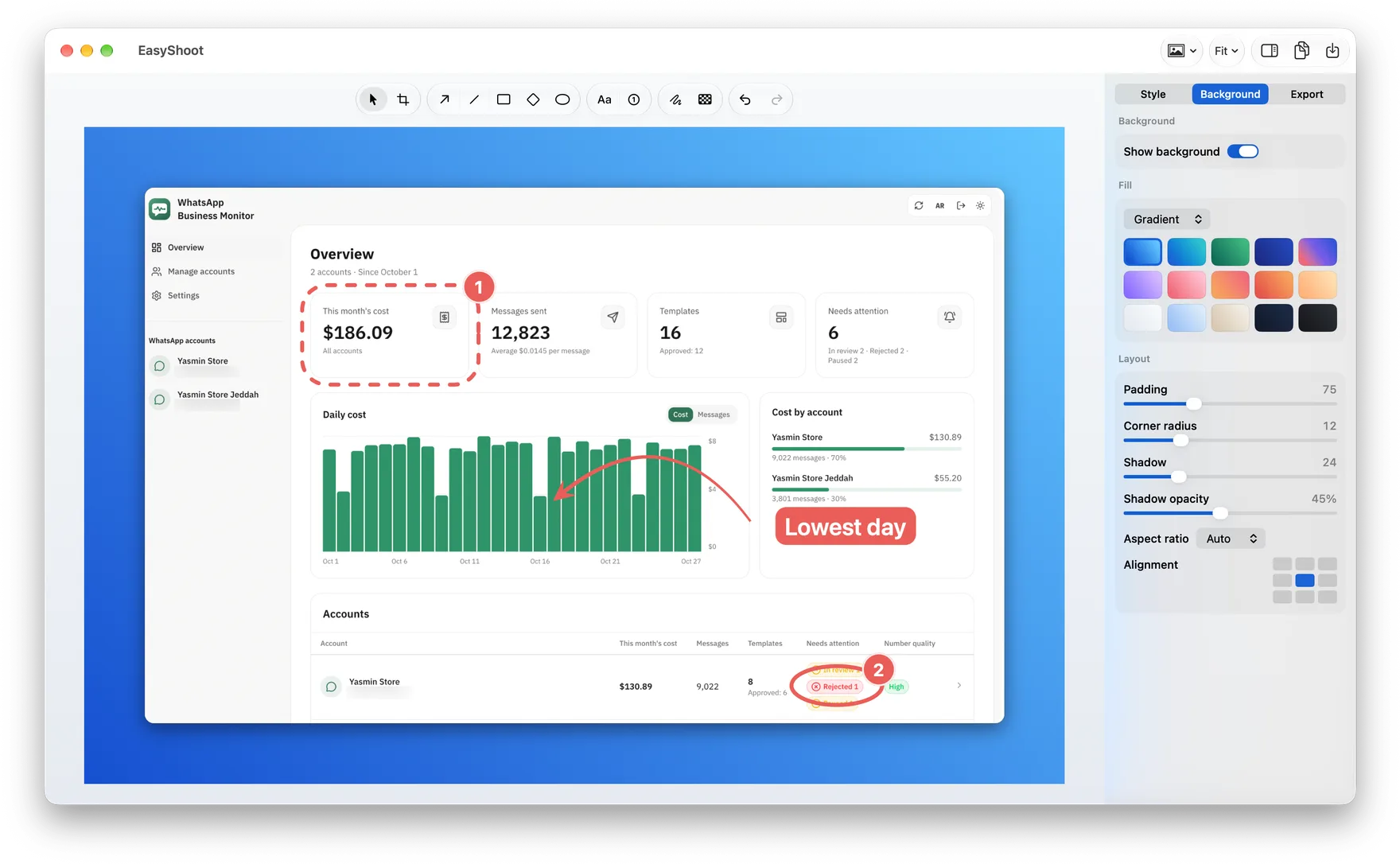
- Backgrounds and presetsGradients, padding, corners, shadow and aspect ratios, saved as presets that apply to new captures.
- Quick AccessA thumbnail after each capture to copy, save, annotate or drag the image into another app.
- Arabic and five languagesRight-to-left text in the editor, and an interface in English, Arabic, French, Spanish and German.
- No account, no trackingNo sign-up, no cloud and no analytics; the app only goes online for a font you pick and to check for updates.
- Native on the MacBuilt with SwiftUI and AppKit, in light and dark, and delivered through the Mac App Store.
System design
Captures become a document: the image, every mark and the frame around it. A single renderer draws that document on screen and into the exported file, so what you see is exactly what you save.
Built for the App Store
The app uses only Apple's own frameworks and runs in the App Sandbox. Capture goes through ScreenCaptureKit, and files are written only where you choose to save them. Every change runs through a pipeline that builds the app, runs the tests and checks every translation.
In the product