WhatsApp Business Monitor
Dashboard for WhatsApp BusinessYour WhatsApp templates, how they perform and what they cost, on one screen. It runs on your own machine, so your tokens never leave it.
- Docker
- Node.js
- Since Oct 2026
- MIT licence
- Website
- User guide
- GitHub
Overview
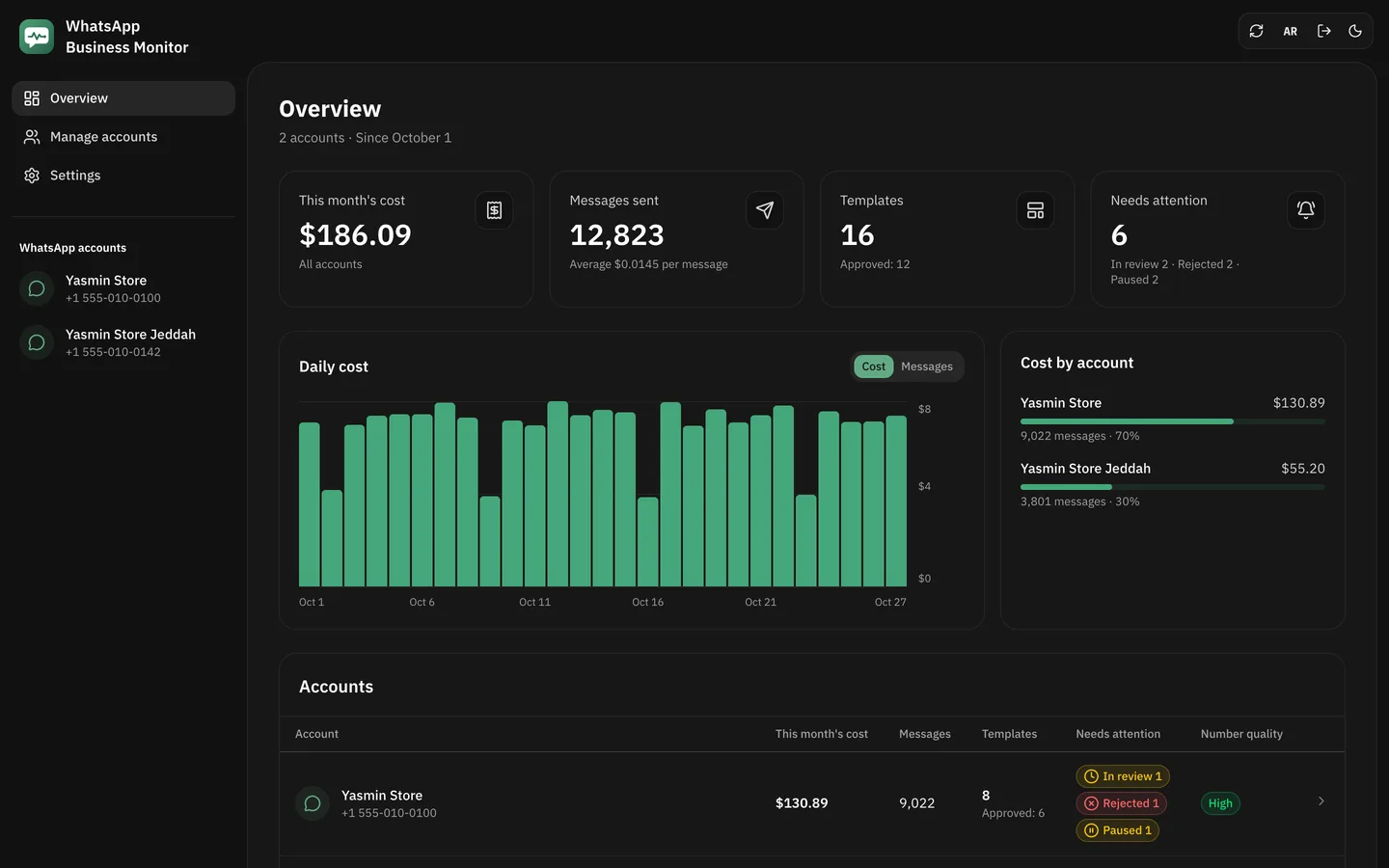
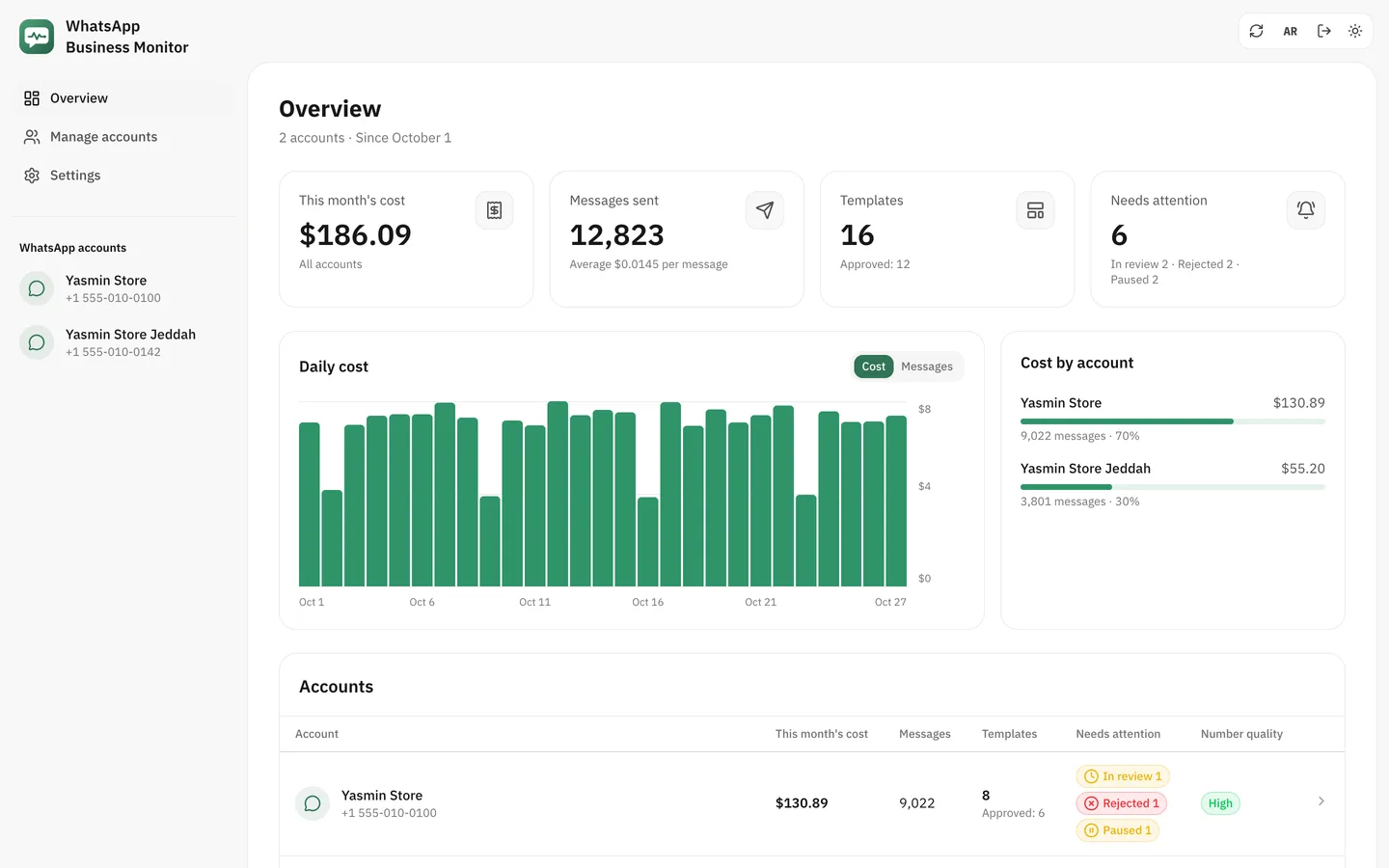
WhatsApp Business Monitor puts your WhatsApp Business accounts on one screen: templates, costs, numbers and settings. It installs with one command on your computer or your server, so your tokens never leave it. I started it in October 2026.
What it shows
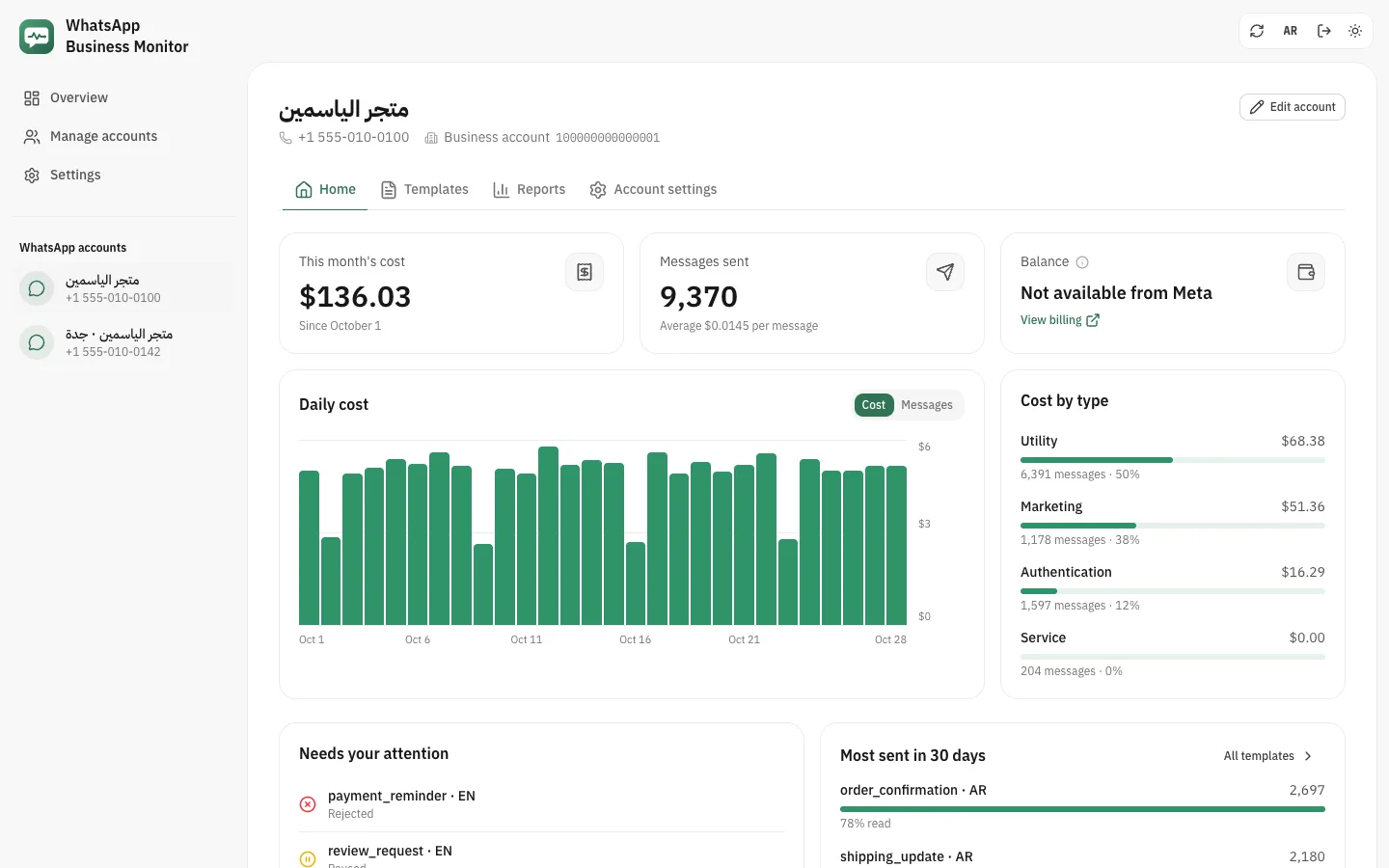
Every account at a glance
This month's cost and messages, what needs your attention now, such as a rejected or paused template, and the most-sent templates.
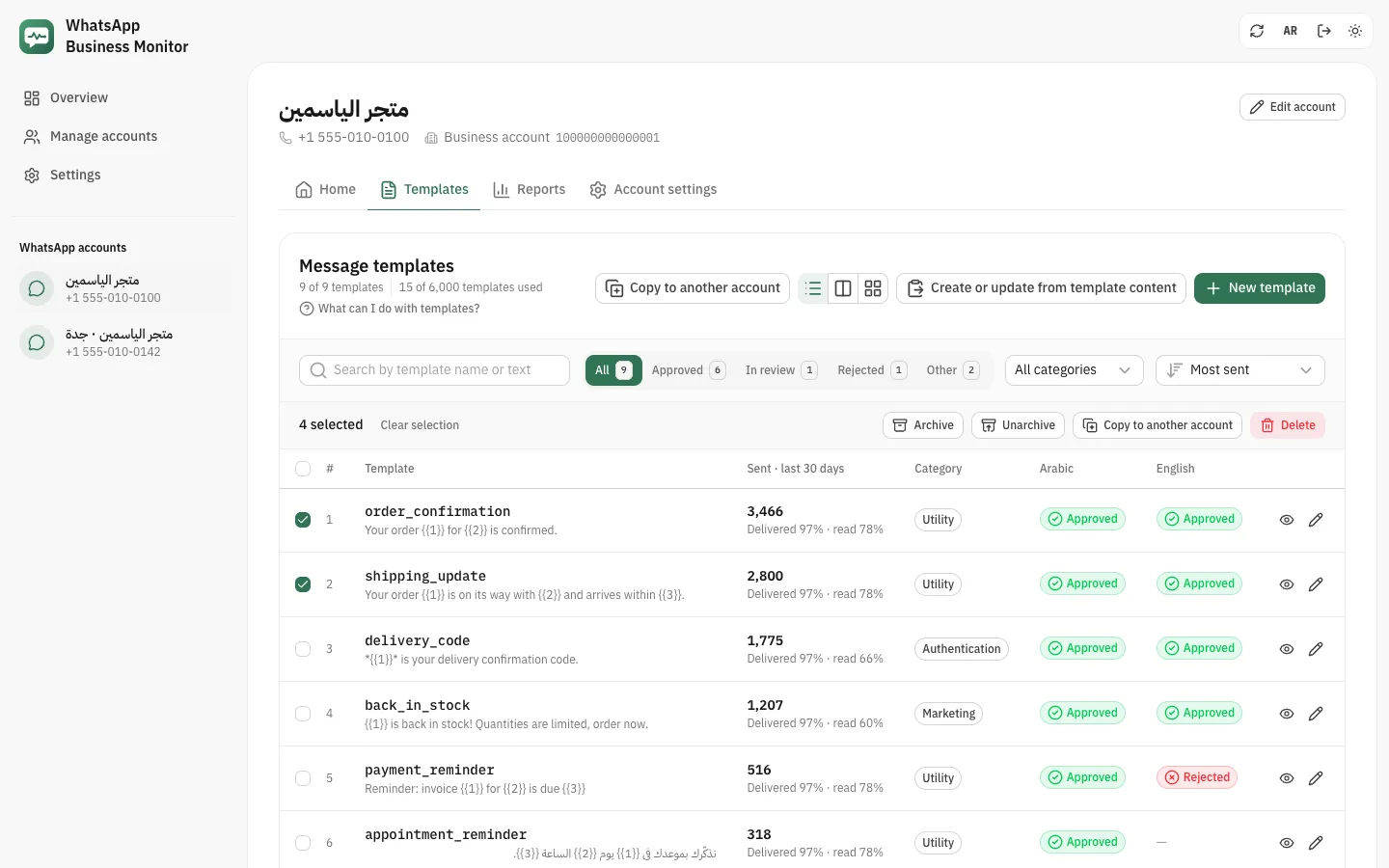
Templates
Each template's status and its sends, deliveries and reads over 30 days. Archive, copy or delete several at once.
Reports and costs
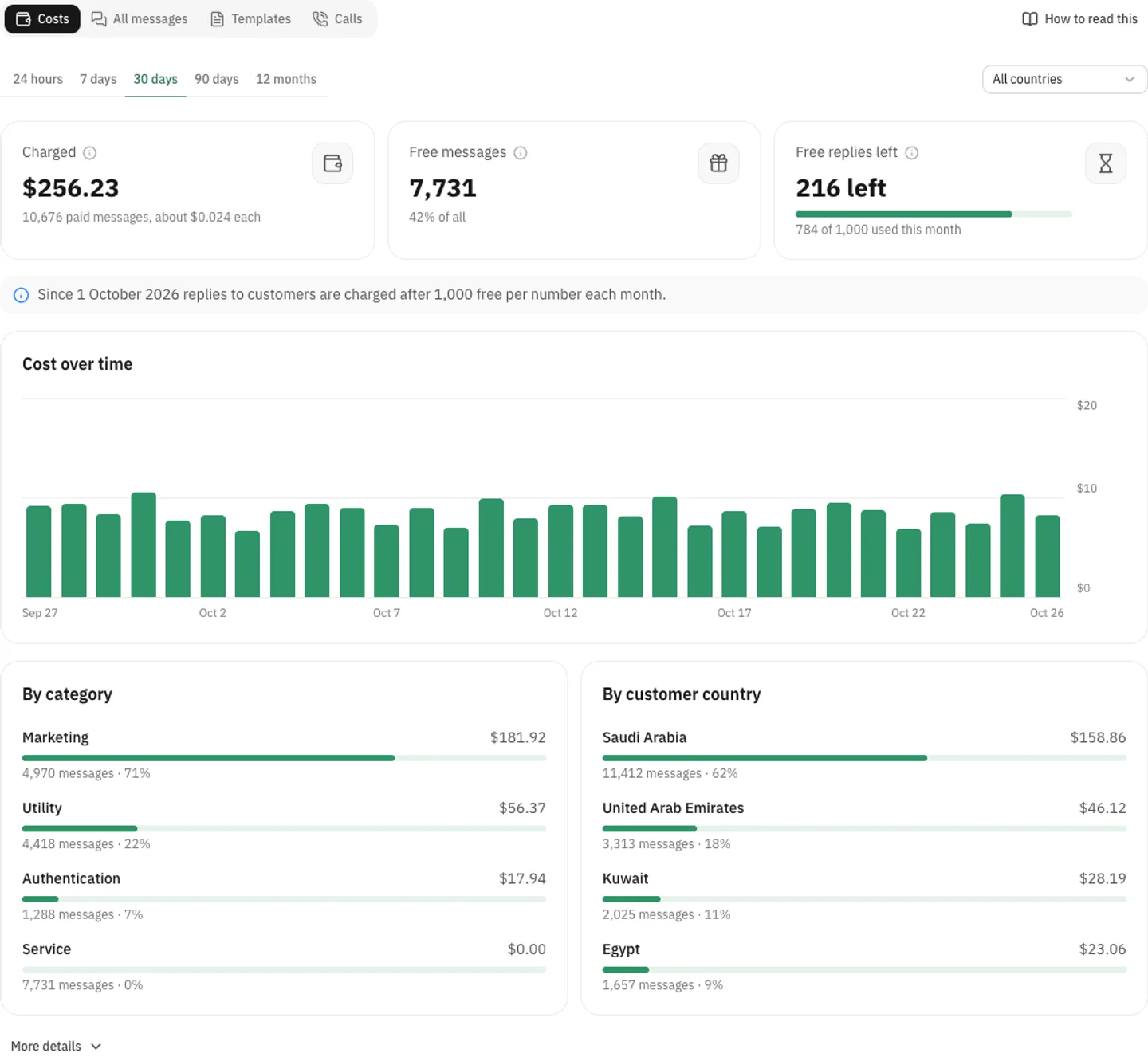
What Meta charged by category, country and number, and how many free service messages are left this month.
In Arabic too
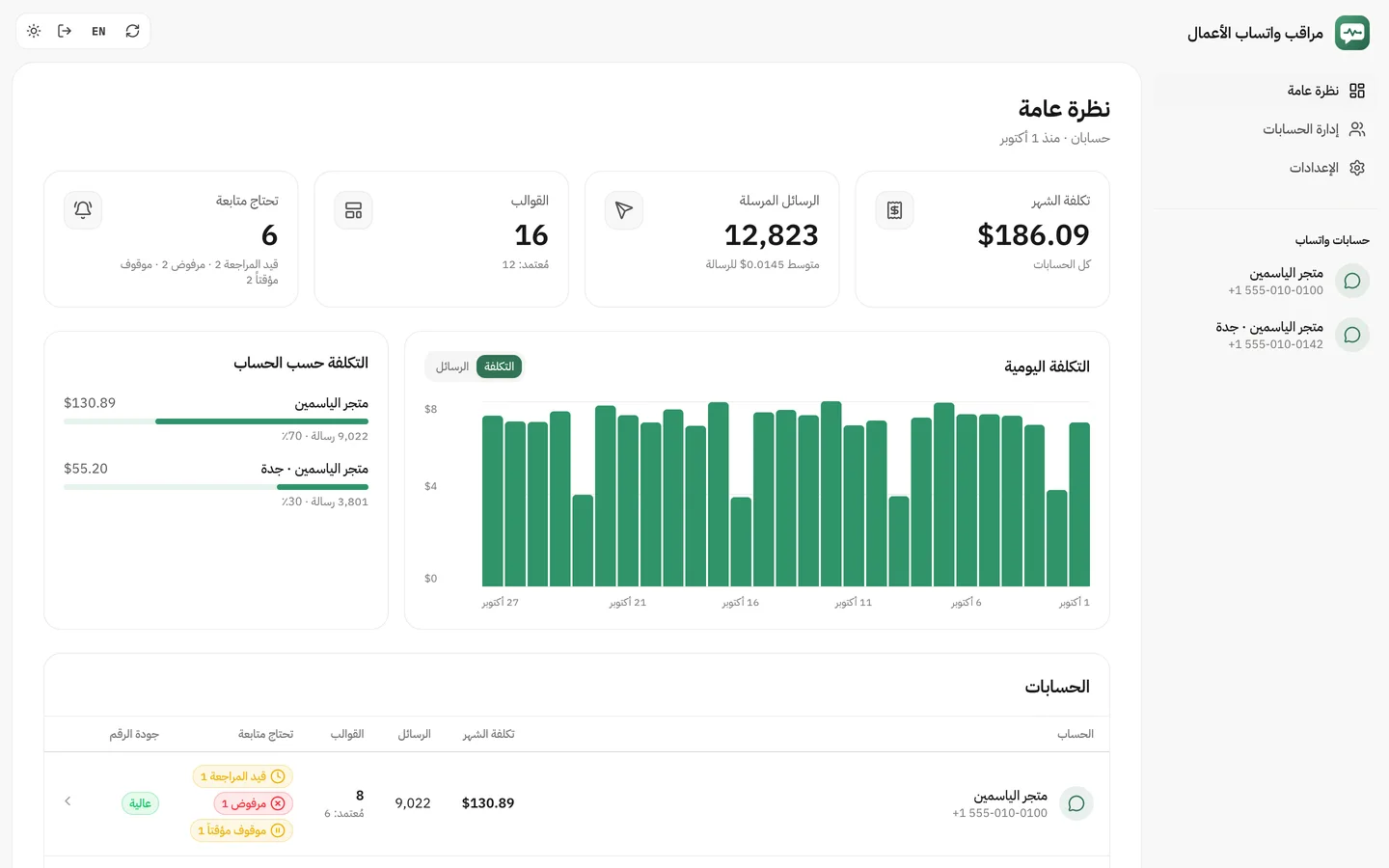
The whole dashboard works in Arabic from right to left, in light or dark.
Privacy
It runs where you choose, behind your own sign-in, and your WhatsApp tokens stay on that machine.